Free on iPhone & Android
The Grill & Go app. Order in seconds.
Order tawook, burgers and wraps for delivery or pickup, build your own sandwich layer by layer, and grab deals and coupons made for app users.
Sign in with your phone number. No password needed.
How it works
From hungry to ordered in four steps
- Download the appGet Grill & Go free from the App Store or Google Play.
- Sign in with your phoneEnter your number and the one-time code sent to it.
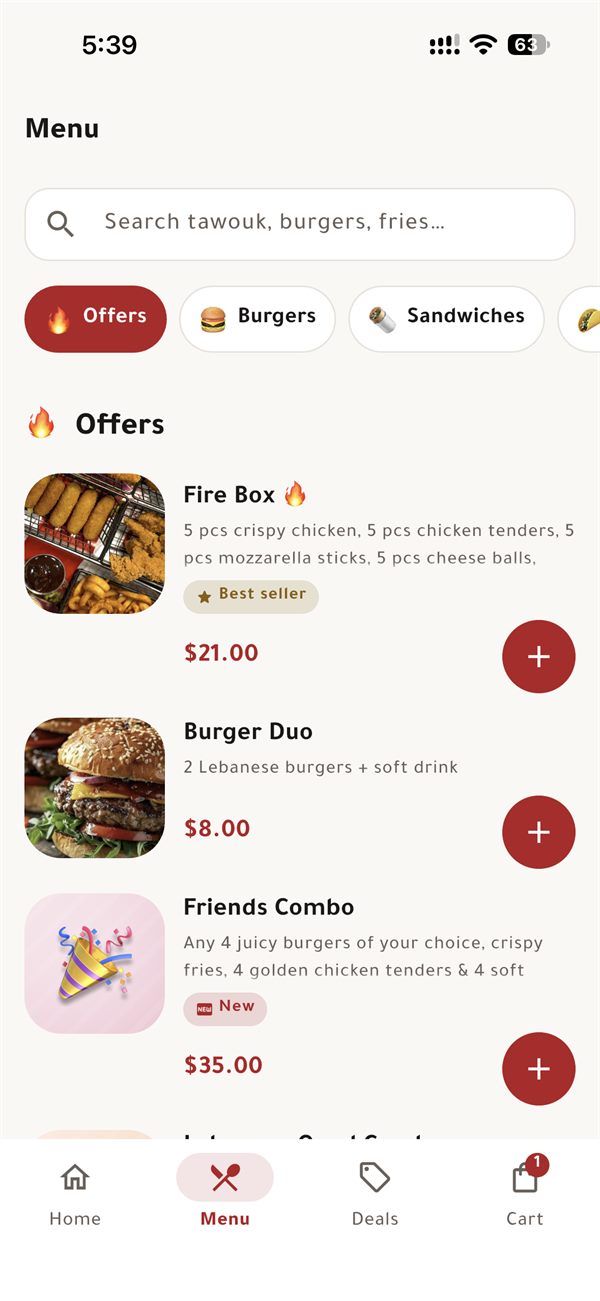
- Pick your foodBrowse the menu, grab a deal or build your own sandwich. Add a coupon at checkout.
- Delivery or pickupChoose a saved address or pick it up, then follow your order live.
Why use the app
Everything Grill & Go, in your pocket
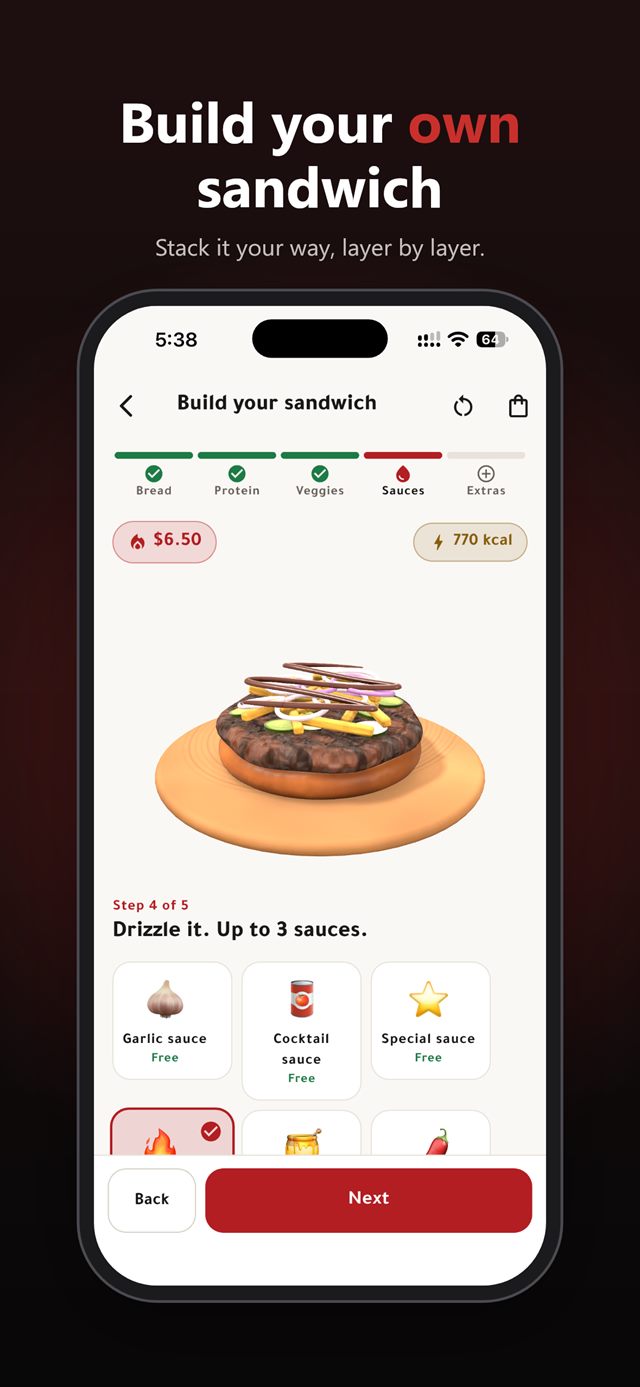
🥪 Build your own sandwich
Five steps, 30+ ingredients, with your sandwich drawn layer by layer as you build it.
🔁 One-tap reorder
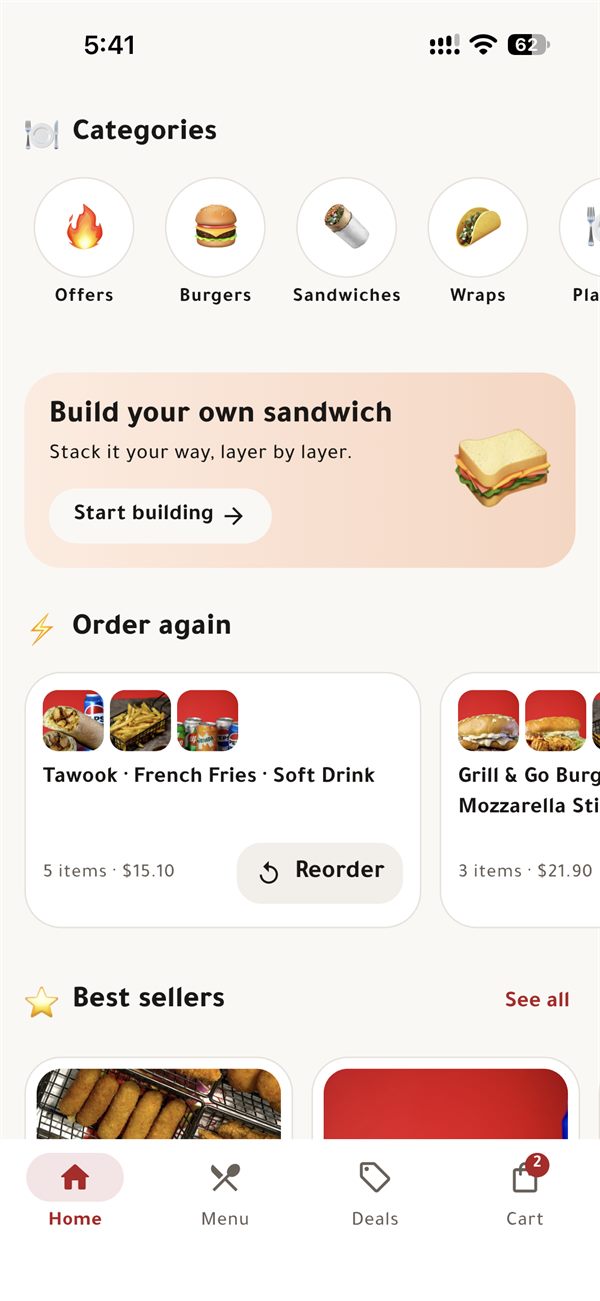
Your recent orders are on the home screen. Tap Reorder and you are done.
🏷️ Deals & coupons
Combo offers in the Deals tab, plus coupon codes including first-order discounts.
🛵 Delivery or pickup
Delivered to a saved address, or ready for you to collect from the branch.
🔔 Live order tracking
Accepted, preparing, ready, out for delivery: you get notified at every step.
⚡ Order in seconds
Phone-number sign-in and saved addresses make checkout quick.
App FAQ
Questions about the app
Which phones does the Grill & Go app work on?
The Grill & Go app is available for iPhone on the App Store and for Android phones on Google Play.
How do I sign in to the Grill & Go app?
Enter your phone number and the one-time code sent to it. There is no password to remember.
Can I track my Grill & Go order?
Yes. The app shows each stage of your order, from pending and accepted to preparing, ready for pickup or out for delivery, and sends a notification when it changes.
How do I use a coupon in the Grill & Go app?
Enter the coupon code at checkout. The app checks it and shows the discount before you place the order. Some coupons are for your first or second order only.